
Batch tasks
A batch task starts several scripts together — typically a backend, a frontend and a mock server, possibly from different projects. Create one under 批量 (Batch) in the sidebar.
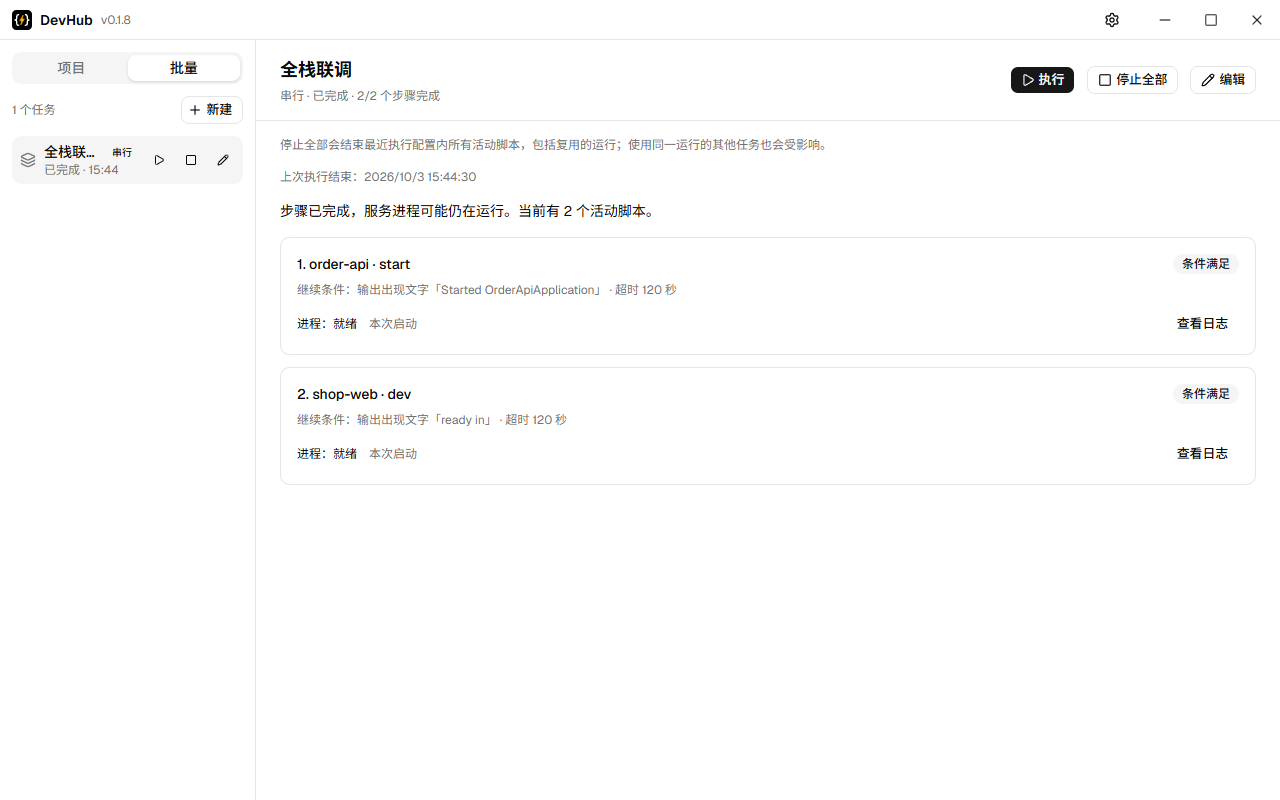
Parallel or sequential
- Parallel starts every step at once.
- Sequential starts one step, waits until its condition is met, then starts the next.
Wait conditions
Each step of a sequential task waits for one of these before the next step starts:
| Condition | Continues when | Typical use |
|---|---|---|
| Successful exit | The process exits with code 0 | Install, build |
| Text in output | The output contains the text (or matches a regular expression), ignoring colours | Server ready logs |
| Open port | A TCP connection to the port succeeds on localhost | Listening servers |
| HTTP success | A GET to the URL answers 2xx | Health endpoints |
| Wait N seconds | The time has passed | Fallback |
All conditions except the fixed wait have a timeout (120 seconds by default). A process that exits before its condition is met fails the step, except for “successful exit”.
When something fails
When a step fails, the remaining steps are not started and the reason is shown; steps already running keep running. Click the task in the sidebar to see each step's progress, its condition and the reason for a failure, and to open the log of each step.
A script that is already running is reused rather than started twice, and its condition is still checked.
Stop all cancels the remaining steps and stops every script of the task, each with its whole process tree.
History
The result of each task's latest run, with the reason for a failure, is kept across restarts.